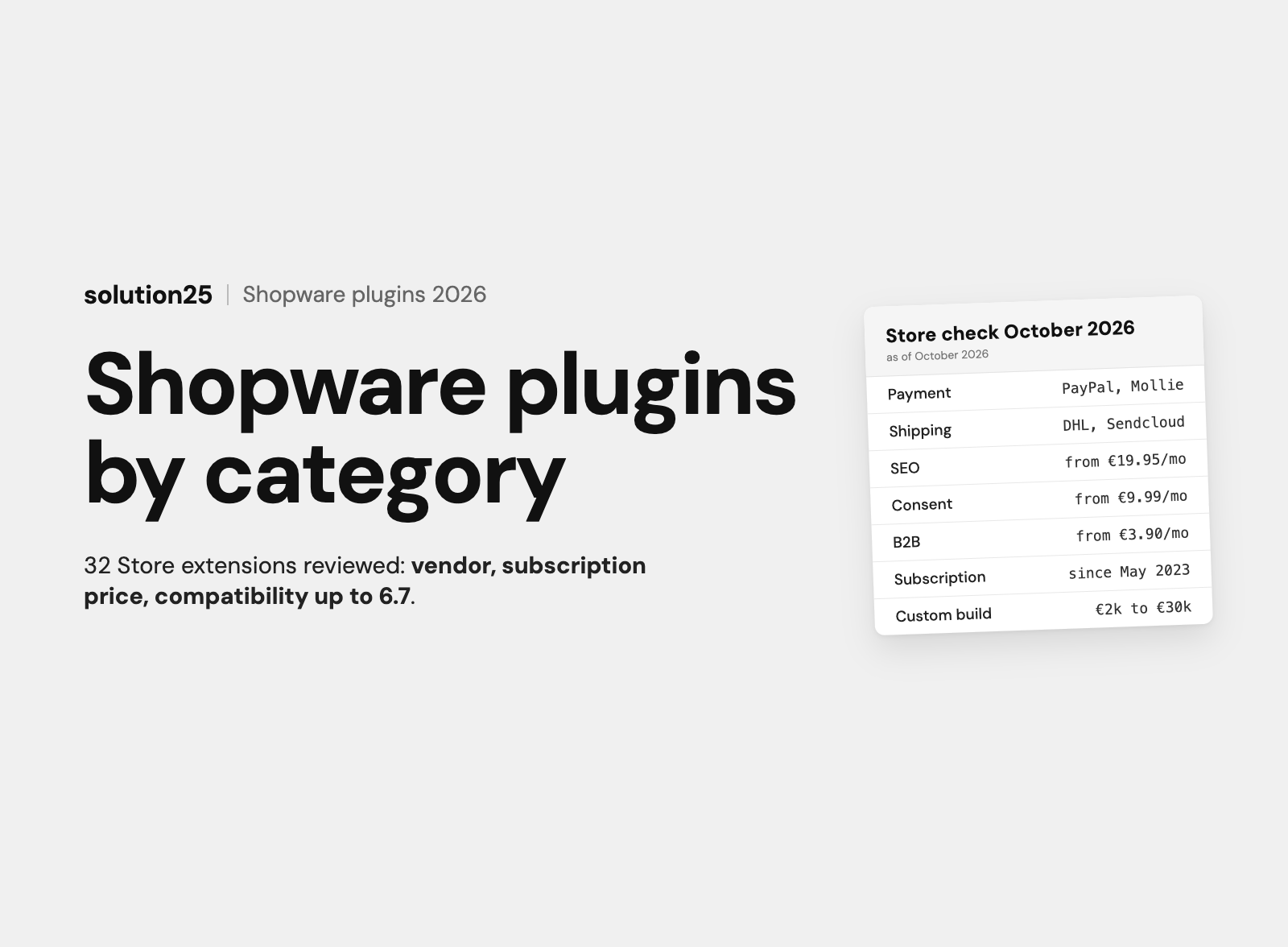

Plugins, apps and themes explained, the Shopware Store’s subscription model since 2023, and 32 vetted extensions for payment, shipping, SEO, search, marketing, consent, B2B and ERP, with notes for UK merchants. Plus a plugin audit and custom development.
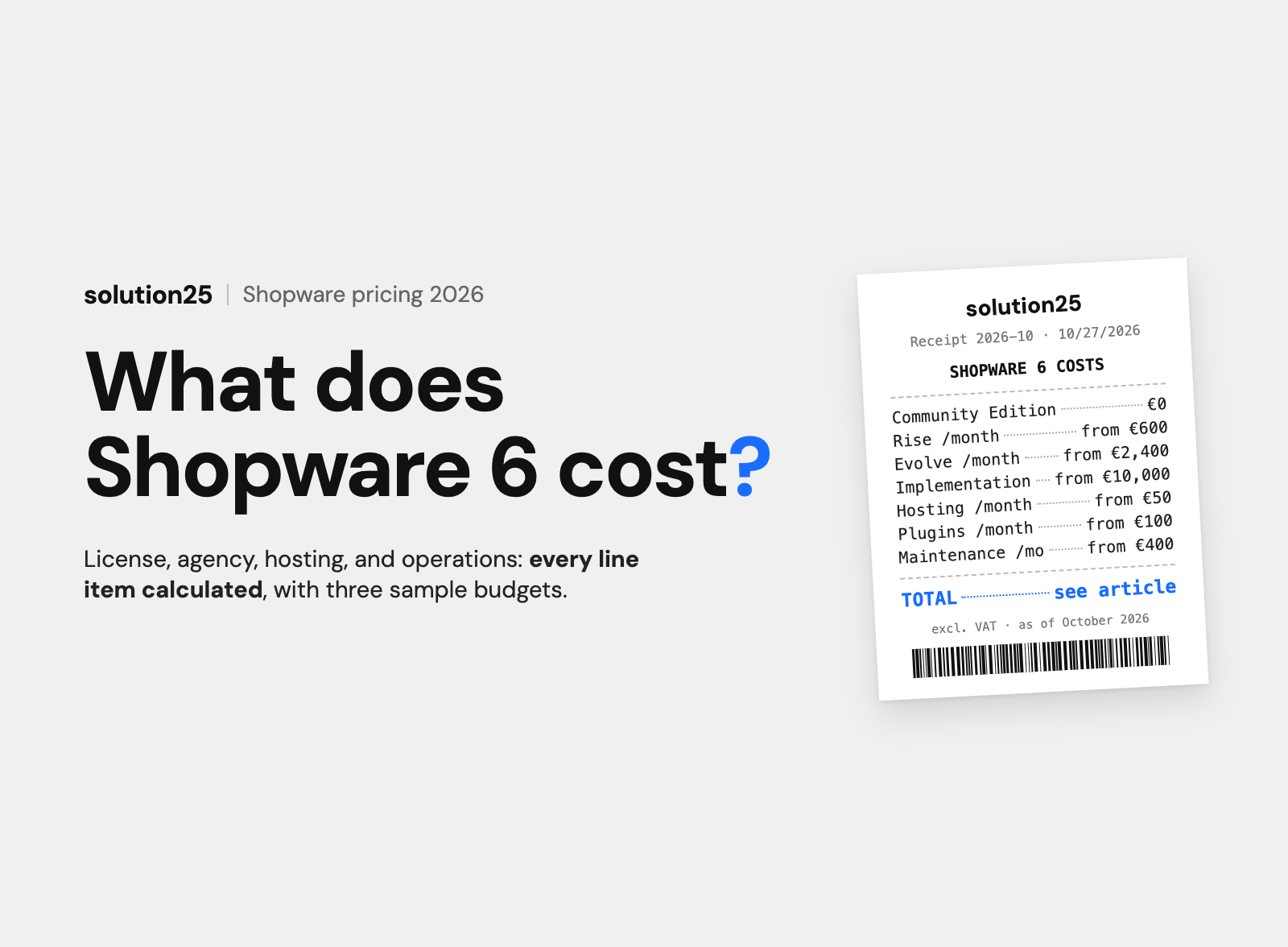
Since May 2023, Shopware plugins are only available as subscriptions. Paid extensions in the categories reviewed here cost €3.90 to €82.90 per month, while the PayPal, Klarna, DHL, and Trusted Shops integrations are free in the Store and bill through the service itself.
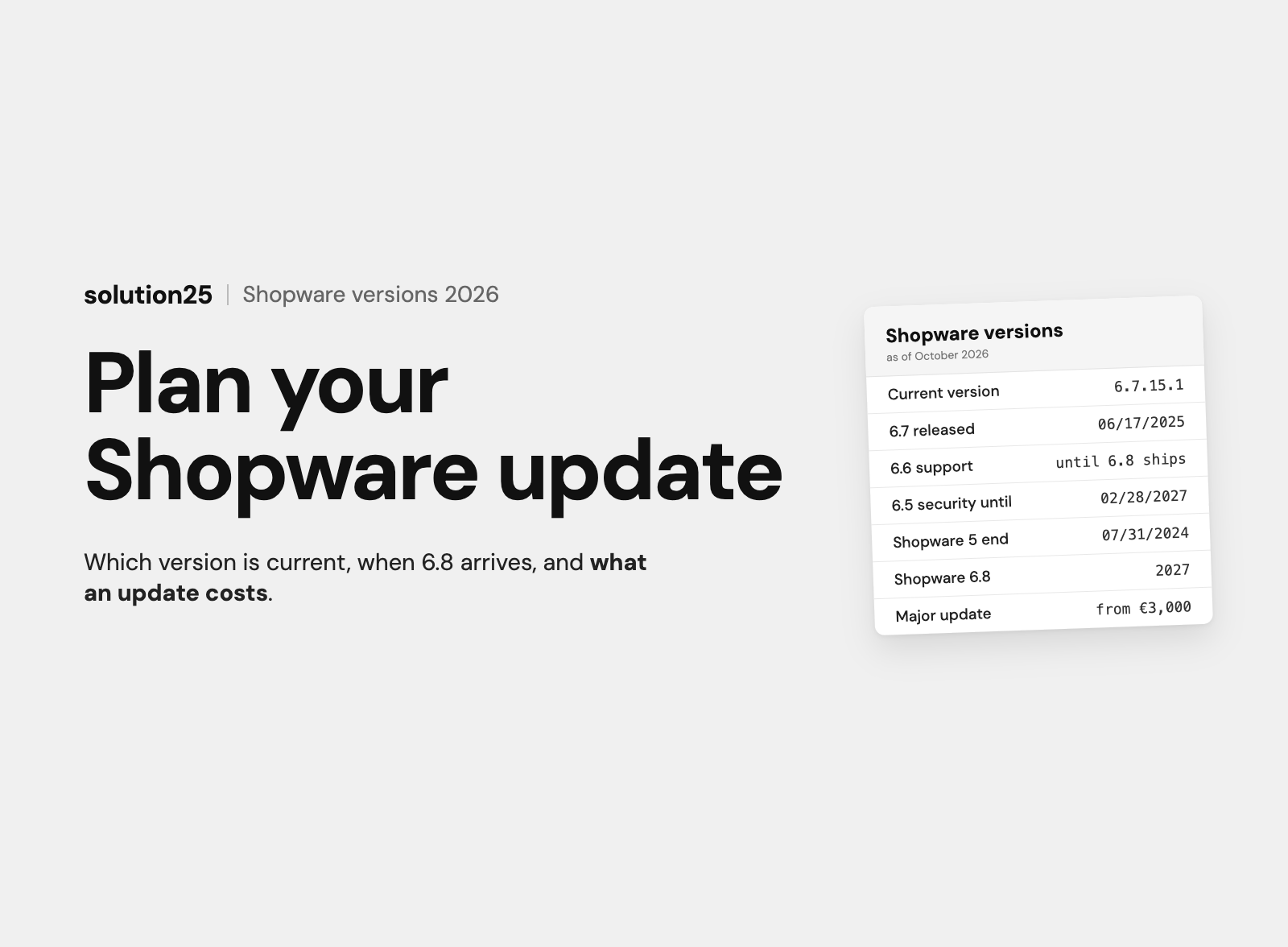
Compatibility matters more than price. Every extension has to be approved for Shopware 6.7, or it will block the next update. The Store lists the supported version range on every product page, currently up to 6.7.15.1.
A typical store needs 8 to 15 extensions, not 30. The essentials are payment, shipping, cookie consent, legal texts, tracking, newsletter, and reviews. For requirements the Store doesn’t cover cleanly, custom development from £2,000 is often cheaper than three plugins that conflict with each other.
Every extension costs a subscription fee and has to keep up with every Shopware update, so your selection determines the store’s running costs and how updatable it is. This article is for UK shop owners and e-commerce managers with their own Shopware 6 store who are choosing extensions, cleaning up their existing stack, or considering custom development.
After reading it, you’ll be able to pick a suitable extension with price and compatibility for ten categories, audit your plugin stack in six steps, and decide when a custom plugin is cheaper than another one from the Store.
Before founding solution25, we grew our own online store to more than 500 orders a day and learned along the way how quickly a stack of plugins becomes an update risk. Since 2017 we have been delivering Shopware projects and developing our own extensions for payment providers, subscriptions, and ERP systems.
Which Shopware plugins are best depends on your business model, not on a ranking. We checked vendor, pricing model, and approved version in the Store on 28 October 2026; all prices as of October 2026, excl. VAT. Store prices are shown in euros as listed by the vendors; our own experience-based figures are given in pounds.
In the Shopware Store, everything is called an extension. Technically there are three types, and your choice determines which operating model the store can run in and how risky an update becomes.
A plugin runs inside the Shopware process, has direct database access, and can override core functions: pricing logic, product imports, checkout validations. That makes plugins powerful and fragile at the same time, because any change to the Shopware core can break a plugin.
According to Shopware’s developer documentation, plugins aren’t supported in Shopware Cloud (SaaS). If you sell there, you can only install apps.
Apps have existed since Shopware 6.4. They run outside the Shopware core, respond to events via webhooks, and access data via the Admin API. As a result, they survive updates much better and run in every operating model.
The trade-off is depth of control: there’s no direct database access, and changes to price calculation or checkout are only possible through designated interfaces. Trusted Shops and REVIEWS.io now deliver their Shopware integrations as apps.
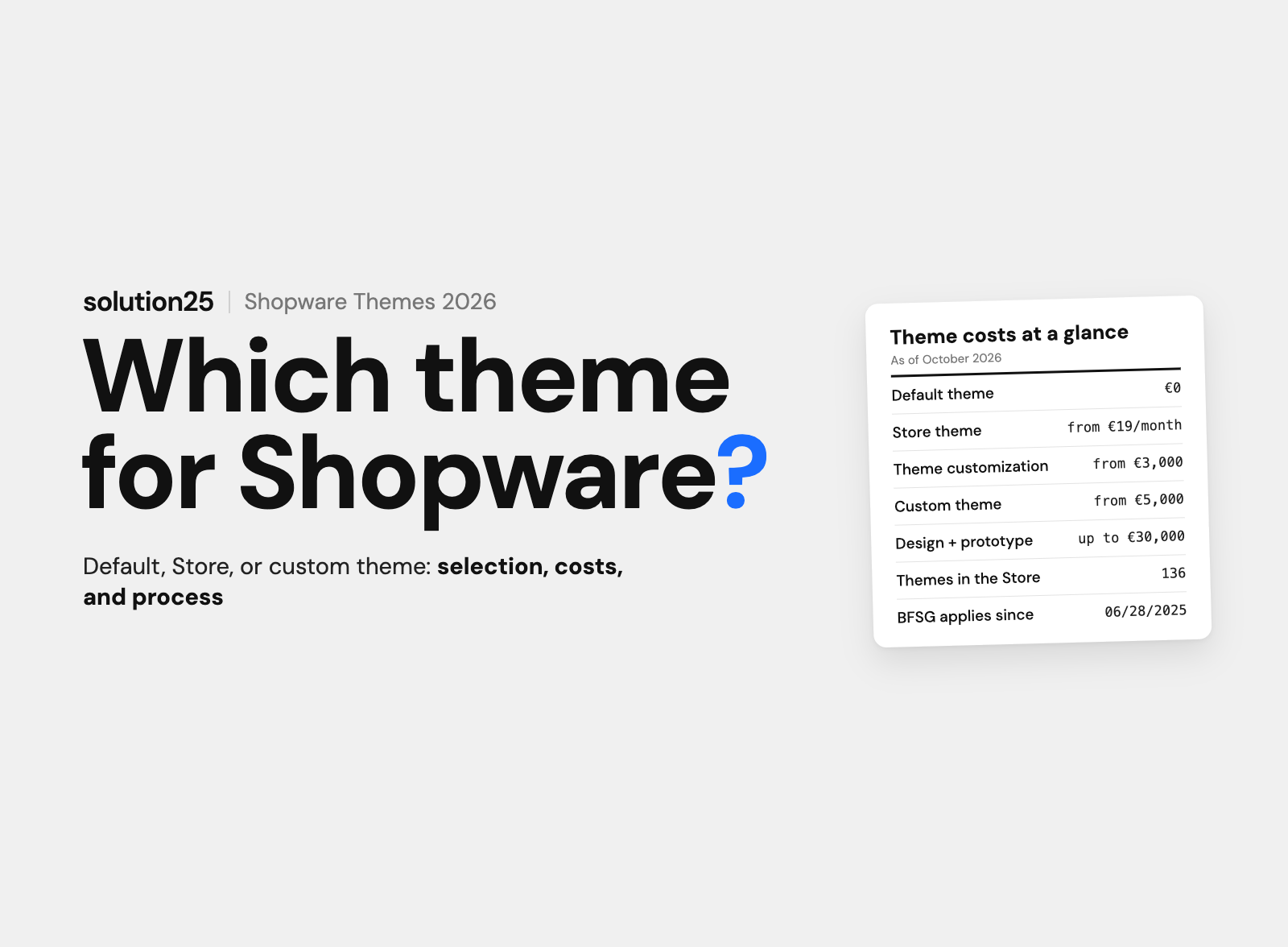
Themes change the look of the storefront and are technically delivered as a plugin or app. The same selection rules apply: approval for 6.7 and a vendor who keeps up regularly. What a custom theme costs is covered in our article on Shopware pricing.
| Criterion | Plugin | App |
|---|---|---|
| Execution | In the Shopware process, direct database access | Outside the core, webhooks and Admin API |
| Operating model | Self-hosting, PaaS | Self-hosting, PaaS, SaaS (Cloud) |
| Depth of control | Core functions can be overridden | Only via designated interfaces |
| Update risk | High with version jumps | Lower, apps can be automatically approved for new minor versions in the Store |
| Installation | Store, ZIP upload, Composer (PHP package manager) | Store, in SaaS only via the admin Store |
On 22 May 2023, Shopware announced in its forum that new paid extensions would only be listed in the Store as subscriptions from then on, monthly or annually. Prices are set by the vendors, not Shopware. According to the Shopware documentation, the purchase option has been replaced by the subscription model and won’t be brought back.
Old purchased licences can still be used, but updates and support for them are only available through a subscription. For the extensions we reviewed, the annual subscription is 5 to 19 percent cheaper than twelve monthly payments, the monthly subscription can be cancelled monthly, and many vendors offer a free trial month.
You don’t cancel in the store but in your Shopware Account under Merchant, Shops, and the respective domain. The subscription ends at the next possible date, after which the extension has to be uninstalled and deleted, because according to Shopware, unlicensed extensions may not remain in the plugin manager.
The same principle applies in the Cloud: only the “cancel and remove” function stops billing; deactivating or uninstalling alone isn’t enough.
A licence is tied to the store domain. There’s no second subscription fee for the test environment: if the staging domain is set up in the Shopware Account as a test environment assigned to the main store, it gets the licences automatically. Our article on the Shopware staging environment shows how to set one up.
Free extensions are often just the entry point. Payment providers charge per transaction, while consent, review, and search services bill through a subscription with the provider that isn’t shown in the Store.
From our projects: a small shop pays from about £100 per month for Store extensions, a mid-sized shop with 10 to 20 extensions £150 to £600, and a B2B shop with a search solution and B2B extensions up to £900.
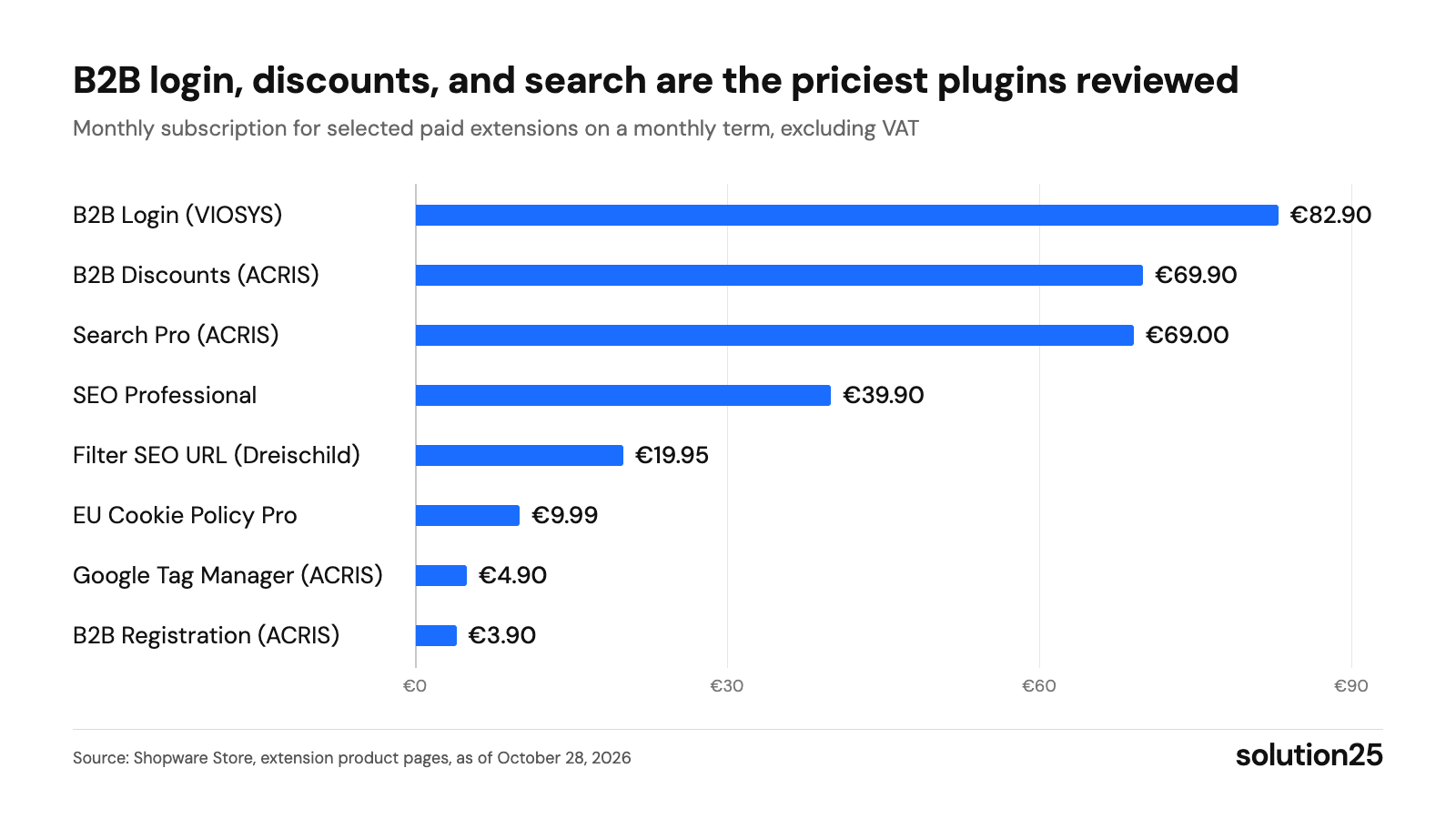
Figure: Eight reviewed extensions show the range of monthly subscription fees; if you assemble B2B features from several plugins, compare the total with custom development or the B2B Components. Source: Shopware Store, extension product pages, as of 28 October 2026
All information in the tables comes from the Shopware Store, as of 28 October 2026. “Approved up to” is the highest Shopware version the vendor has approved in the Store; according to the changelog, Shopware’s version history, the current version is 6.7.15.1 from 7 October 2026.
| Extension | Vendor | Price in the Store | Approved up to | Rating (count) |
|---|---|---|---|---|
| PayPal für Shopware 6 | shopware AG | free, transaction fees with PayPal | 6.7.15.1 | 2.1 (85) |
| Klarna Payments für Shopware 6 | Klarna | free, transaction fees with Klarna | 6.7.15.1 | 3.9 (20) |
| Mollie Zahlungen für Shopware 6 | Mollie | free, transaction fees with Mollie | 6.7.15.1 | 4.1 (43) |
| Stripe Payments für Shopware 6 Plugin | Stripe | free, transaction fees with Stripe | 6.7.15.0 | 2.5 (49) |
With over 13,000 downloads, PayPal is the most-used payment plugin and at the same time the worst rated: 85 reviews, averaging 2.1 out of 5 stars. The most recent reviews mainly describe failed payments after plugin or Shopware updates. Our guide Integrating PayPal into Shopware 6 shows the settings where things usually go wrong.
Mollie bundles PayPal, Klarna, Apple Pay, and credit cards in one plugin with one contract and, at 4.1 stars, is the most stable option for small and mid-sized stores. Klarna’s own plugin is worth it if invoice and instalment payments are your focus; see Integrating Klarna into Shopware 6. Shopware Payments is included in all plans and doesn’t need a plugin.
For UK shoppers, PayPal, Klarna, Apple Pay and Clearpay are the payment methods to check first, so compare which provider covers your mix before installing several payment plugins.
| Extension | Vendor | Price in the Store | Approved up to | Rating (count) |
|---|---|---|---|---|
| DHL Versand | Pickware | free, DHL business customer account required | 6.7.15.1 | 4.4 (58) |
| GLS Versand | Pickware | free, GLS customer account with API access required | 6.7.15.1 | 4.2 (5) |
| Sendcloud | Sendcloud | Extension free, Sendcloud plan billed separately | 6.7.15.1 | 3.5 (17) |
With over 10,000 downloads, DHL Versand from Pickware is the standard for shipping and return labels directly from the Administration. If you mix several carriers or need a returns portal, Sendcloud gets you there faster, but you pay the Sendcloud plan on top.
For UK merchants, DHL and GLS matter mainly for parcels into the EU, where customs data has to travel with the shipment. For domestic delivery with Royal Mail, Evri or DPD UK, a multi-carrier tool such as Sendcloud, which also operates in the UK, is usually the quicker route; check the Store for the current carrier integrations.
| Extension | Vendor | Price in the Store | Approved up to | Rating (count) |
|---|---|---|---|---|
| SEO Professional | Dreischild GmbH | €39.90 per month or €399 per year | 6.7.15.1 | 4.3 (29) |
| SEO Tools für SEO Professionals | ACRIS E-Commerce GmbH | €29.99 per month or €299 per year | 6.7.15.0 | 5.0 (4) |
| Filter SEO URL und SEO Filter Landingpages | Dreischild GmbH | €19.95 per month or €195 per year | 6.7.15.1 | 5.0 (2) |
Shopware 6 already includes SEO URLs, canonicals (which specify a page’s main URL), a sitemap, and robots control. SEO Professional adds a meta preview with character length, redirects with regular expressions (search patterns for many URLs at once), JSON-LD instead of Microdata (two formats for structured data), and generators that create titles and descriptions from templates for the entire catalogue.
For stores with many filter combinations, the bigger lever is an indexable landing page per combination, such as “men’s running shoes size 44”. The smaller Dreischild plugin is enough for that.
| Extension | Vendor | Price in the Store | Approved up to | Rating (count) |
|---|---|---|---|---|
| DooFinder Search and Discovery | DooFinder | Extension free, service on subscription after a 30-day trial | 6.7.15.1 | 3.7 (5) |
| Algolia Integration für Shopware | shopware AG | free, Algolia account with its own fees required | 6.7.15.1 | new since 21 October 2026, no ratings yet |
| Suche Pro (KI-Suche, Elasticsearch und OpenSearch) | ACRIS E-Commerce GmbH | €69 per month or €699 per year | 6.7.15.1 | 5.0 (19) |
Shopware’s standard search is enough for a few thousand products. Beyond that there are two routes: Elasticsearch or OpenSearch, meaning a dedicated search server that Shopware supports natively and that we describe in the article Elasticsearch and OpenSearch for Shopware 6, or a search service like Doofinder or Algolia that handles search, filters, and suggestions.
In October 2026, Shopware released its own Algolia integration, free but requiring an Algolia account and its fees. The ACRIS plugin is the choice if synonyms, weighting, and typo tolerance should stay in your own hosting.
| Extension | Vendor | Price in the Store | Approved up to | Rating (count) |
|---|---|---|---|---|
| Trusted Shops Easy Integration für Shopware 6 | Trusted Shops SE | App free, Trusted Shops membership required | 6.7.15.1 | 2.9 (36) |
| REVIEWS.io | REVIEWS-io | App free, REVIEWS.io plan billed separately | 6.7.15.1 | 3.6 (5) |
| Trustpilot Bewertungen | ecocode | free, Trustpilot account with free basic plan | 6.7.13.0 | 4.2 (10) |
Product reviews are built into Shopware 6. External services pay off for store reviews with a trust seal, buyer protection, and stars in Google Ads. Trusted Shops is the best-known brand in the German market and matters if you also sell into Germany, and the app runs in self-hosted and Cloud setups. Our guide Setting up Trusted Shops in Shopware 6 shows the setup with the Trustbadge and review widgets.
For UK shops, Trustpilot and REVIEWS.io are the more familiar names. Trustpilot is also the alternative for stores that sell internationally. However, the extension doesn’t come from Trustpilot itself but from the service provider ecocode, and is currently only approved up to 6.7.13.0.
| Extension | Vendor | Price in the Store | Approved up to | Rating (count) |
|---|---|---|---|---|
| Klaviyo | Klaviyo | free, Klaviyo plan billed separately | 6.7.15.1 | 1.0 (1) |
| CleverReach Newsletter App für Shopware 6 | CleverReach | free, CleverReach plan billed separately, with a free entry tier | 6.7.14.2 | 2.4 (18) |
| Brevo (formerly Sendinblue) | Brevo | free, Brevo plan billed separately | 6.7.15.1 | 3.8 (39) |
Shopware manages newsletter recipients with double opt-in (confirming the signup via a link) and sends transactional emails via the Flow Builder, Shopware’s workflow automation, but no campaigns. For that you need an email tool with an integration. Klaviyo is the benchmark for stores with a high share of revenue from segments and flows, while CleverReach and Brevo are the more affordable entry points with abandoned cart emails and contact sync.
The single Klaviyo review says little; the last update is more telling: for all three integrations, it was in September or October 2026.
| Extension | Vendor | Price in the Store | Approved up to | Rating (count) |
|---|---|---|---|---|
| Google Tag Manager (GA4, Google Ads, Server-Side Tracking) | ACRIS E-Commerce GmbH | €4.90 per month or €49.90 per year | 6.7.15.1 | 4.9 (10) |
| Google Tag Manager (GA4 und Server Side Tracking) | BuI Hinsche GmbH | €7.90 per month or €89.90 per year | 6.7.15.1 | 4.9 (12) |
| Matomo Tracking und E-Commerce | Campit | €5.99 per month or €59.99 per year | 6.7.14.2 | 5.0 (2) |
Shopware integrates GA4 via the sales channel settings without a plugin. If you want to manage Google Ads, server-side tagging (tracking via your own server instead of in the browser), or other tools through a container, you need a Tag Manager plugin: both listed here populate the data layer, the data structure the Tag Manager reads from, with view_item, add_to_cart, begin_checkout, and purchase, and control Google Consent Mode v2 so that tracking only starts after consent.
For stores that want to keep data on their own servers, Matomo is the alternative. Our GA4 guide for Shopware 6 describes setup and verification with DebugView, GA4’s test view.
| Extension | Vendor | Price in the Store | Approved up to | Rating (count) |
|---|---|---|---|---|
| Usercentrics Consent Manager | Usercentrics GmbH | App free, Usercentrics subscription after a 30-day trial | 6.7.15.1 | no ratings yet |
| EU Cookie Richtlinie Pro (SW6) mit Consent Mode v2 | ACRIS E-Commerce GmbH | €9.99 per month or €99 per year | 6.7.15.1 | 5.0 (38) |
| AGB-Schnittstelle für Shopware 6 | IT-Recht Kanzlei | Plugin free, legal text service paid, cancelable monthly | 6.7.15.0 | 5.0 (9) |
| Händlerbund Integration für Shopware 6 | Händlerbund Management AG | Plugin free, membership required | 6.7.14.1 | 5.0 (3) |
Shopware 6 comes with a cookie notice that manages its own cookies. It only blocks scripts from marketing plugins if the vendor has registered them correctly. The ACRIS plugin detects cookies from installed extensions on its own, only loads scripts after consent, and with 38 reviews at 5.0 stars is one of the best-rated extensions in the Store. Usercentrics fits if you need a consent service for multiple websites and countries. In the UK, PECR requires consent for non-essential cookies, and the ICO enforces it, so check that tracking really only starts after consent.
For legal texts, there are two established routes: the IT-Recht Kanzlei terms and conditions interface with over 4,000 downloads, or the Händlerbund integration, whose current version 4.0 is only approved for Shopware 6.7. Both update terms and conditions, the cancellation policy, and the privacy policy through the interface. Note that both services produce German legal texts: for UK shops, terms, cancellation information under the Consumer Contracts Regulations 2013 and a privacy notice under UK GDPR have to be drafted for UK law, usually with a solicitor.
| Extension | Vendor | Price in the Store | Approved up to | Rating (count) |
|---|---|---|---|---|
| B2B Login (B2B Basis-App) | VIOSYS AG | €82.90 per month or €845.58 per year | 6.7.14.1 | 5.0 (2) |
| B2B Rabatte (Rabattgruppen und Staffelpreise) | ACRIS E-Commerce GmbH | €69.90 per month or €699 per year | 6.7.15.1 | 5.0 (5) |
| B2B Registrierung und Checkout nur für Firmenkunden | ACRIS E-Commerce GmbH | €3.90 per month or €39 per year | 6.7.15.1 | no ratings yet |
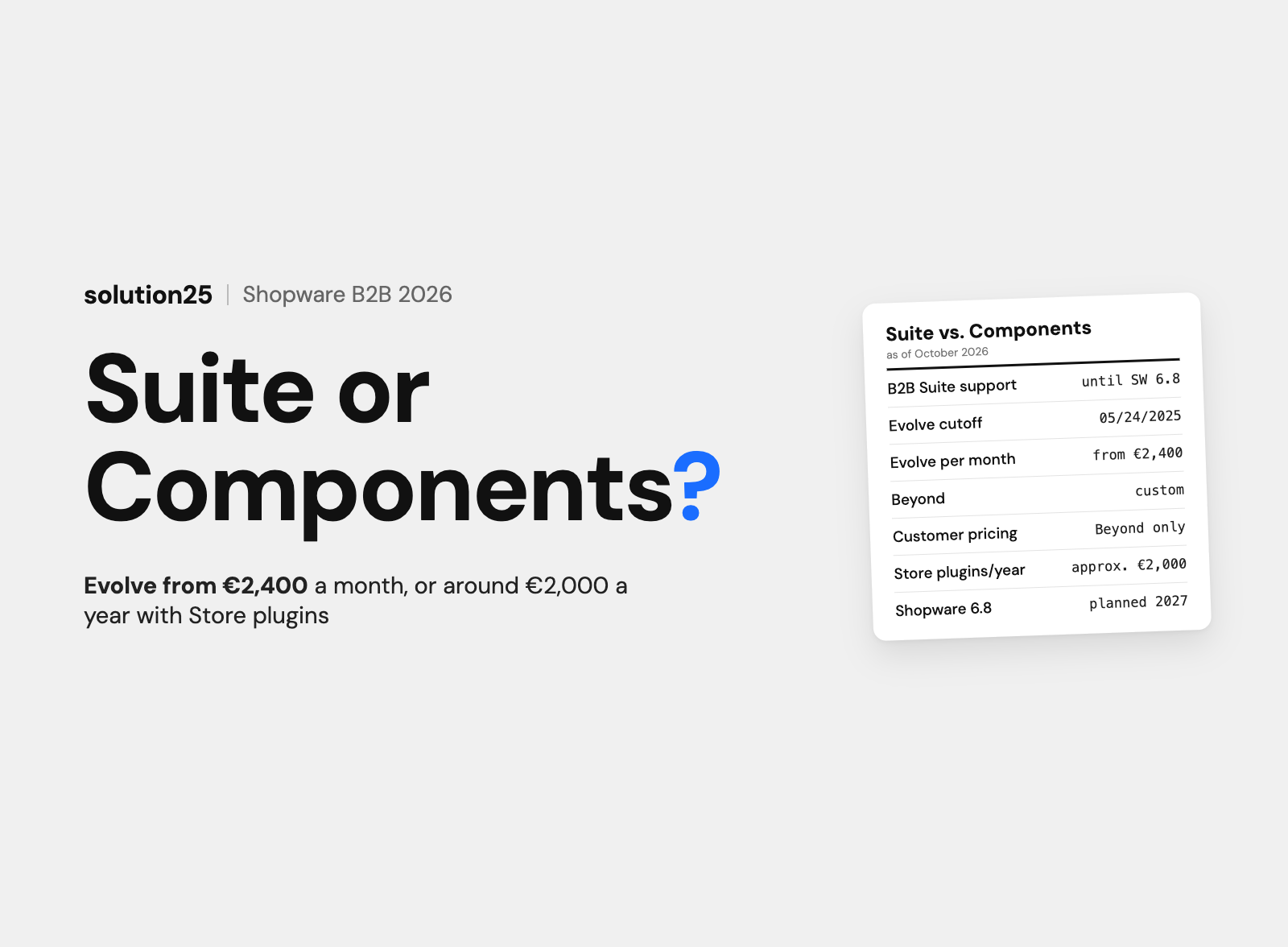
Shopware provides quotes, purchase approvals, and employee accounts as B2B Components, but according to the pricing page only in the Evolve plan from €2,400 per month. For merchants below that, Store extensions cover the most common requirements: employee logins with roles and permissions (VIOSYS), cross-product tiered discounts per customer group (ACRIS), and restricting registration and checkout to business customers.
From three or four B2B extensions from different vendors, things get messy, because they all touch price calculation and checkout. Our page on Shopware B2B Components explains when switching to Shopware’s own components pays off.
| Extension | Vendor | Price in the Store | Approved up to | Rating (count) |
|---|---|---|---|---|
| Pickware ERP, WMS und POS | Pickware | Billed via Pickware, Starter, Advanced, and Professional plans, prices on pickware.com | 6.7.15.1 | 4.3 (31) |
| weclapp Cloud ERP Schnittstelle | weclapp | free, weclapp plan billed separately | 6.7.14.2 | no ratings yet |
| Xentral ERP für Shopware 6 | Xentral ERP Software GmbH | free, Xentral plan billed separately | 6.6.10.27 | 5.0 (1) |
Pickware runs as an inventory management system entirely within Shopware: warehouse, shipping, and POS are operated in the Administration, with no sync between two systems. The weclapp integration transfers items, orders, and stock between the cloud ERP and the store.
The Xentral plugin shows the compatibility problem in its purest form: it’s only approved up to Shopware 6.6.10.27, the last changelog entry dates from April 2021, and the Store itself notes that the extension isn’t compatible with the current version. If you want to run Xentral with 6.7, you need a different integration. Our article on ERP integration for Shopware 6 covers which integration fits which store size.
Shopware publishes minor or patch versions every few weeks and a new major version once a year. Shopware 6.7 has been current since June 2025; according to endoflife.date, 6.6 receives security updates until February 2028 and 6.5 until February 2027.
When updating via the Administration, Shopware checks every extension and, according to the update guide, shows one of three statuses: already compatible, compatible after updating the extension, or not compatible. In the last case there’s no successor version, and the extension stops working after the update. If you force the update anyway, you risk the store not being reachable afterwards.
Shopware explicitly recommends a test environment and your own backup, because Shopware doesn’t create one itself. In the Cloud, the vendor decides: if they don’t update their app before a release, Shopware deactivates it automatically.
With 15 to 30 extensions, such an audit takes one to two days and, at hourly rates of £100 to £180, costs between £1,000 and £3,500. In our experience, 20 to 30 percent of the extensions can be turned off afterwards, and the next update becomes predictable.
Check these four metrics monthly when reviewing invoices, and in full before every major update.
Adjust course if an extension goes six months without an update, a new extension pushes LCP above 2.5 seconds, an update is blocked by an unapproved extension, or FroshTools shows recurring errors in the log.
The prerequisite for a predictable update is a staging environment with the same extensions as the live store. Store plugins reach their limits where several vendors touch the same business logic: then another plugin won’t help, but custom development or Shopware’s own components will.
The Store covers standard cases. As soon as a requirement is specific to your business, a combination of three plugins overriding the same spot in checkout costs more maintenance time than a custom plugin.
| Situation | Store extension | Custom development |
|---|---|---|
| Standard function like payment, shipping labels, consent | Yes, the vendor maintains the integration | No |
| Requirement solvable via configuration or the Rule Builder (the Administration’s rule engine) | Yes, often even without an extension | No |
| Two or more plugins touch the same spot | Risky, conflicts with every update | Yes, one extension with clear logic |
| Integration with a system without a Store connector | Not available | Yes |
| Business logic that is your competitive advantage | Only an approximation | Yes, with source code handover |
| Store on Shopware Cloud (SaaS) | Apps only | Only as an app with its own server |
Figures from our projects: a small extension with clear logic and no admin interface costs £2,000 to £5,000, a plugin with configuration in the Administration and storefront customisations £5,000 to £15,000, and a bidirectional integration with error handling and monitoring £15,000 to £30,000. Add 10 to 20 percent of the development cost per year for updates, because a custom plugin also has to be tested with every Shopware release.
Our page on Shopware plugin development shows which payment, marketing, and logistics integrations we’ve already built and how maintenance after launch is handled. What a proposal for custom development should include:
TonerPartner runs 32 online brands for printer supplies that previously had separate stores with their own codebases and plugins. We consolidated them into a Shopware 6 blueprint system and developed custom plugins for compatibility, mapping cartridges to printers, brand-specific filters, and SEO rules for categories. According to the case study, conversion rates rose by 25 percent, and maintenance and updates became easier and faster in the shared environment.
Miniature Market, a retailer of board games, miniatures, and hobby supplies, came from a large Magento store with thousands of SKUs and no reliable preorder process. For Shopware 6, we developed a custom preorder plugin with deposits, scheduled releases, partial shipments, and protection of reserved quantities. According to the case study, fulfilment errors and support tickets went down afterwards.
Eight questions we answer before every installation. It takes ten minutes per extension and prevents most later problems.
Our take: We allow exactly one extension per function and, before adding a new one, first check whether configuration or the Rule Builder already solves the requirement. Every additional extension has to be tested with every update, and that effort decides whether a store stays current. Where a requirement defines your business model, a custom plugin with handed-over source code is the more stable solution than several overlapping subscription licences.
Plugins run in the Shopware process with direct database access and can override core functions. Apps run outside it, communicate via webhooks and the Admin API, and are the only type of extension for Shopware Cloud. Both are possible for self-hosting and PaaS, and apps usually survive updates better.
In the Administration under Extensions, My extensions, you connect your Shopware Account and install purchased extensions directly from the Store, or alternatively via ZIP file using “Upload extension”. After installation, the extension is initially deactivated and has to be turned on manually. In the Cloud, Store apps should always be installed via the admin Store, not by upload.
Paid extensions in the reviewed categories cost between €3.90 and €82.90 per month, and the annual subscription is 5 to 19 percent cheaper. An average shop with 10 to 20 extensions pays £150 to £600 per month to the Store, based on our experience, plus the fees for payment, review, and newsletter services.
Yes. The PayPal, Klarna, Mollie, DHL, Sendcloud, Klaviyo, CleverReach, Brevo, and Trusted Shops integrations are free in the Store and billed through the respective service. Shopware’s Security Plugin and FroshTools are free as well. The standard storefront theme is included in every installation, while themes from the Store are subscribed to like plugins.
No. Shopware 6 has a different architecture; Shopware 5 extensions are separate products in the Store and can’t be carried over. In a migration, every plugin is replaced by a Shopware 6 extension or redeveloped. Shopware 5 has not received security updates since July 2024.
Planning a new Shopware shop in the UK or an extension the Store doesn’t cover? Get in touch, and we’ll tell you which Store extensions solve the requirement and where custom development pays off, including an effort estimate.
Already running a Shopware store? In our free store audit, we check your installed extensions, among other things: compatibility with 6.7, impact on load time, and licences you no longer need.
Learn more about how we work, our certifications, and our locations on the Shopware agency solution25 page.
Besar Bilalli is co-founder and Co-CEO of solution25, the Shopware agency from Bremen. Before founding the agency in 2017, he and Besnik Bilalli built their own online store without any startup capital and grew it to more than 500 orders a day. Since then he has been helping merchants with Shopware projects, from platform selection to ongoing operations. He’s happy to answer questions about this article personally: get in touch.
Responsible for content and updates: Besar Bilalli. Last updated: October 2026. Next content review: January 2027.