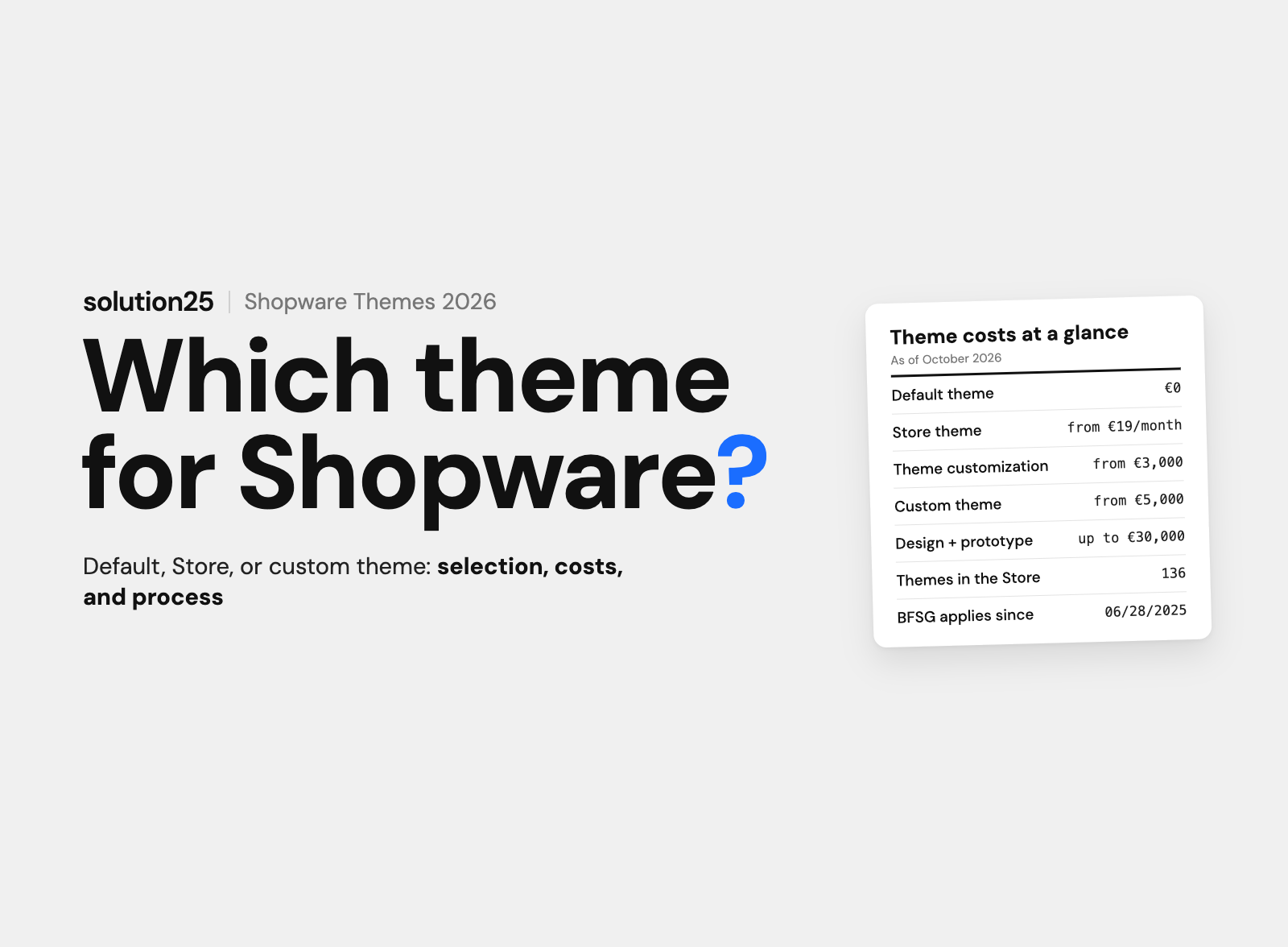

Which Shopware 6 themes are available, what they cost, and when a custom theme pays off: default theme, store themes from ThemeWare to Zenit, theme inheritance, accessibility (BFSG), and the theme development process.
There are three ways to design a Shopware 6 store: the included default theme (Storefront), one of the Shopware themes from the store, or a custom theme that an agency builds on top of the default theme.
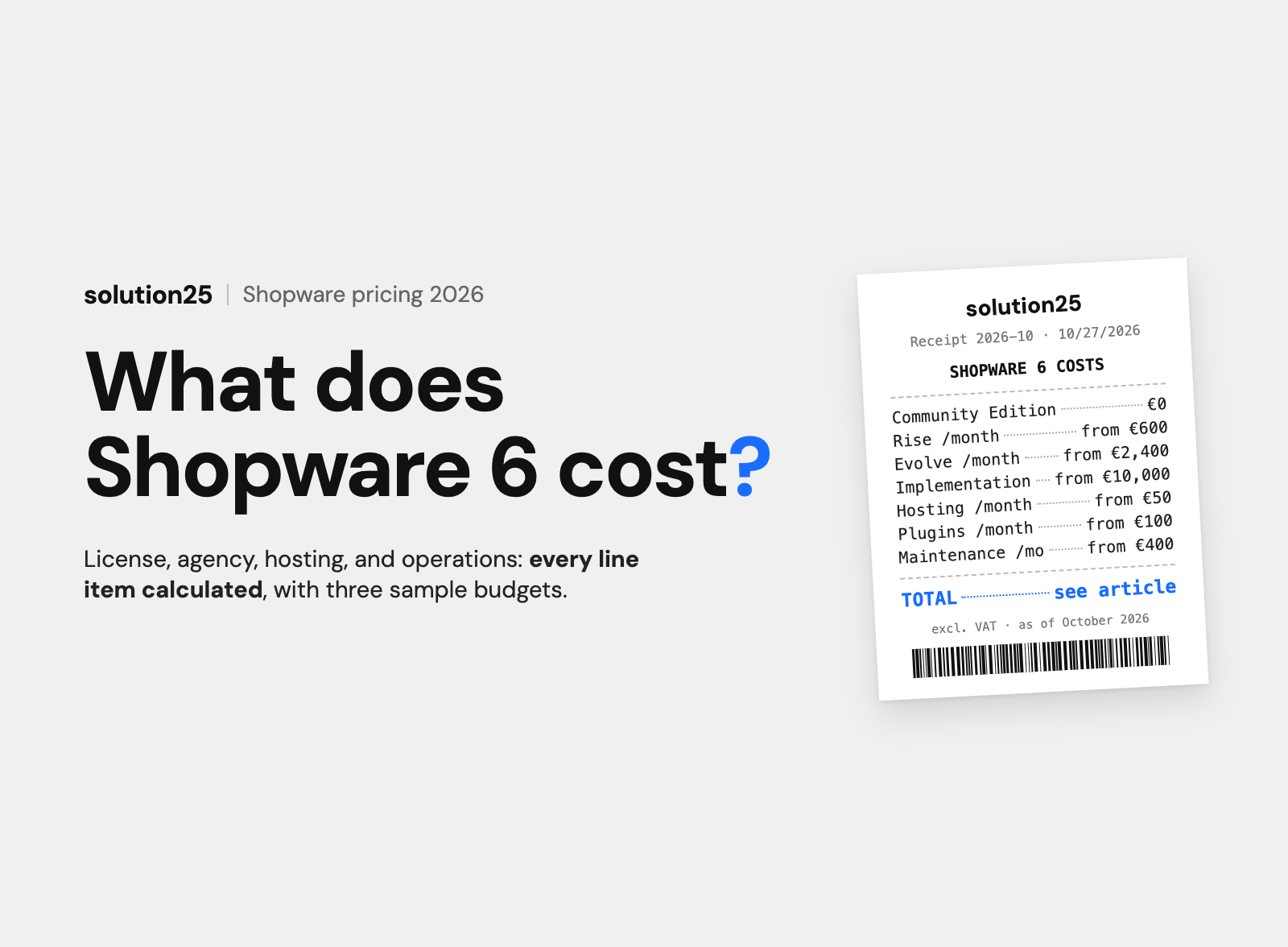
Store themes cost €19 to €49 per month as a subscription license, and the biggest vendors are TC-Innovations (ThemeWare) and Zenit Design. Having an agency set up and customize a theme costs €3,000 to €8,000, and a custom theme €5,000 to €30,000.
Since June 28, 2025, the German Accessibility Strengthening Act (BFSG) also applies to online stores. Shopware 6.7 provides the technical foundation for it, but every theme and every customization has to maintain that level. If you’re choosing a theme today, check accessibility, performance, and update safety before design.
The theme determines how fast, accessible, and update-safe a store is, and it ties up budget for years. This article is for store owners and ecommerce managers choosing between the default theme, a store theme, and a custom theme for a new or existing Shopware 6 store.
After reading it, you’ll be able to compare the three options and their costs over five years, evaluate a store theme against eight criteria, and decide when a custom theme pays off.
Before founding solution25, we ran our own online store and know how much revenue depends on a product page that doesn’t work on a smartphone. Since 2017, we’ve been delivering Shopware projects, with customized store themes as well as custom themes for brands and B2B merchants. All prices as of October 2026, excluding VAT.
In Shopware 6, a theme determines what the Storefront looks like: layout, colors, fonts, spacing, product boxes, header, and footer. Technically, it’s an extension, as a plugin or an app, that overrides the templates, styles, and configuration of the default theme (source: developer.shopware.com).
All three options build on the same foundation. The default theme is always the base, and store themes and custom themes inherit from it and only change what should be different.
| Option | What you get | Cost | Best for |
|---|---|---|---|
| Default theme (Storefront) | Responsive Bootstrap theme with theme manager for logo, colors, and fonts, designed by Shopware for WCAG 2.1 AA | €0 license, configuration €3,000 to €5,000 | Starter stores, function-focused B2B stores, migrations under time pressure |
| Store theme | Ready-made design with hundreds of settings, additional Shopping Experience blocks, and vendor support | €19 to €49 per month, setup €3,000 to €8,000 | Small and mid-sized B2C stores without an in-house design team |
| Custom theme | Custom design, custom components and Shopping Experience blocks, full control over code and performance | €5,000 to €30,000 one-time | Brands with a design system, stores with special product pages, complex B2B requirements |
The decision rarely comes down to design alone. More important are the questions of update safety, accessibility, and who will still maintain the theme in three years.
If you understand how Shopware 6 templates are structured, you also understand why customizations in the wrong place get lost with the next update.
The Shopware 6 Storefront is a classic, server-side rendered PHP application. Twig serves as the template engine, the styles are written in SCSS, and the layout is based on the Bootstrap framework, version 5 and without jQuery since Shopware 6.5 (sources: Storefront concept, developer news on Bootstrap 5).
Every page consists of Twig templates with named blocks. A theme overrides individual blocks, for example the logo or the product box, and keeps the rest of the original. Our article on the Twig template engine explains how Twig works in Shopware.
The heart of every theme is the theme.json file. It defines the name, author, preview image, and above all the order in which templates (views), styles (style), JavaScript (script), and assets are loaded (source: Theme Configuration).
Every theme inherits from the default theme, referred to as @Storefront in the configuration. Templates are resolved in this order: first the Storefront, then installed plugins, then any parent theme, and finally your own theme (source: Theme Inheritance).
In the admin, the theme manager handles all installed themes. There, merchants change colors, fonts, status messages, the buy button, the logo (separately for desktop, tablet, and mobile), the favicon, and the app icon without code (source: docs.shopware.com).
A theme is assigned per sales channel. A merchant with a B2C and a B2B channel can therefore run two themes in parallel or duplicate the same theme with a different configuration. The theme developer defines in theme.json which fields the theme manager offers, from color and font to media and toggles.
Shopware 6.7 has been available since June 17, 2025, and it rebuilt the Storefront in several places. Header and footer are loaded via ESI, meaning as separately cached page parts, the base font size follows the browser default of 1 rem (16 pixels), pagination uses links instead of radio buttons, and icons carry aria-hidden by default (source: release notes 6.7.0.0).
All accessibility improvements that were still behind the optional ACCESSIBILITY_TWEAKS feature flag in 6.6 have been standard since 6.7.0. Since 6.7.11, there are also Storefront Components, reusable UI building blocks based on Symfony UX Twig Components, whose styles are built with the Vite build tool and which expose the theme configuration as CSS custom properties (source: Storefront Components).
For themes from the 6.6 era, this means the overrides for header, footer, product box, and pagination need to be checked before the update. According to Shopware, the block names have stayed the same, but the templates behind them haven’t always.
The default theme is often underestimated. It’s responsive, designed by Shopware for WCAG 2.1 AA and BITV 2.0 (the German accessibility ordinance for government websites), maintained with every release, and comes with Shopping Experiences, a full page builder for the homepage, categories, landing pages, and product pages.
According to Shopware, version 6.7 reduced the Storefront’s JavaScript and CSS files by around 25% (source: shopware.com). An unmodified default theme is therefore usually the fastest theme you can get, and every extension makes it slower, not faster.
In three cases, the customized default theme is the best choice:
The default theme reaches its limits when a brand has its own design system, when product pages need special displays (configurators, size charts), or when marketing wants more Shopping Experience blocks than Shopware ships with.
The Shopware Store currently lists 136 extensions in the Themes category (as of October 28, 2026). The market is concentrated: the premium themes at the top almost all come from TC-Innovations (ThemeWare), Zenit Design (HORIZON, STRATUS, GRAVITY, ATMOS, SPHERE), and RH-Webdesign.
Almost all themes are offered as a subscription license. The price shown in the store, “from €39 per month,” applies with annual billing. Cancelable monthly, the same themes cost €49. Most vendors offer a free trial month through the store.
| Theme | Vendor | Price (excl. VAT) | Highlights |
|---|---|---|---|
| ThemeWare Modern Pro | TC-Innovations GmbH | €39 per month billed annually (€468 per year), €49 cancelable monthly | Gold certified, 116 reviews (4.9 stars), more than 85 CMS components, BFSG-compliant according to the vendor, approved up to 6.7.15 |
| HORIZON Pro | Zenit Design GmbH | €39 per month billed annually (€468 per year), €49 cancelable monthly | 21 reviews (5.0 stars), demo data installer with 18 templates, more than 67 CMS components, optimized for BFSG according to the vendor |
| ATMOS Pro | Zenit Design GmbH | €39 per month billed annually (€468 per year), €49 cancelable monthly | Dark and light mode, more than 67 CMS components, approved up to 6.7.15 |
| WHOLESALER PRO | RH-Webdesign | €19 per month billed annually (€228 per year), €29 cancelable monthly | Gold certified, more than 1,000 settings, approved up to 6.7.12 |
| ThemeWare Cloud | TC-Innovations GmbH | From €32.50 per month | App version for Shopware Cloud (SaaS), also usable for self-hosted stores |
| FreeTheme One | TC-Innovations GmbH | Free, additional features as paid add-ons | For getting started, testing, and small niche stores, 10 reviews (4.9 stars) |
All details come from the product pages in the Shopware Store and may change. Limited-time promotional prices aren’t included.
€468 per year for a premium theme adds up to €2,340 over five years. In return, the licenses include updates for new Shopware versions and vendor support. When the subscription ends, the right to use it ends, and the store needs a new theme.
Then there are in-app purchases: with ThemeWare Modern Pro, the CMS bundle costs an extra €1.99 per month, and RH-Webdesign offers the CMS bundle and theme features as add-ons. Calculate the whole package, not the entry price.
The premium themes developed by Shopware itself (Elle, Showroom, Shape, Cinema, Emporium) have been discontinued, aren’t compatible with Shopware 6.7, and don’t meet accessibility requirements. Shopware explicitly recommends switching to an actively maintained theme (source: docs.shopware.com).
A theme always looks good in the demo. What matters is how it behaves with your products, your plugins, and your update cadence. We check these eight criteria before every recommendation:
The German Accessibility Strengthening Act (BFSG), Germany’s implementation of the European Accessibility Act, has applied since June 28, 2025, and it explicitly covers services in electronic commerce, meaning online stores for consumers (Section 1(3) BFSG). The only exemption is for microenterprises with fewer than ten employees and no more than €2 million in annual revenue or balance sheet total (Section 3(3) BFSG, source: gesetze-im-internet.de).
Violations can be fined up to €100,000 (Section 37 BFSG), plus cease and desist letters from competitors and associations. The technical benchmark is the EN 301 549 standard, which references WCAG 2.1 at level AA for web content, and the store must provide an accessibility statement (source: IHK Stuttgart).
Pure B2B stores that only sell to businesses aren’t covered by the law. As soon as consumers can order, the obligation applies to the entire ordering process, and the law doesn’t provide a general transition period for existing stores.
Shopware has committed to WCAG 2.1 AA and BITV 2.0 for the Storefront and verifies this with automated Playwright tests and axe. The improvements from 6.6 (keyboard navigation, visible focus states, pagination with links, zoom to 200% without layout breaks, labeled buttons in the cart) are standard in 6.7 (source: Accessibility in the Storefront).
That only helps as long as the theme doesn’t override these structures again. Typical problem areas are sliders without a pause function, brand colors with too little contrast on buttons, icon buttons without labels, mega menus without keyboard navigation, and text on images. So check four points before a theme goes live:
Technically, a custom theme is a plugin that inherits from the default theme and only contains the templates, styles, and scripts that differ from the default. With the console command theme:create, Shopware creates the basic structure, after which the theme is installed, assigned to the sales channel, and compiled (source: Create a Theme).
Here’s how Shopware theme development works at our agency:
A custom theme therefore takes 8 to 14 weeks, running in parallel with data migration and integrations in a store project. A custom design without a prototype is possible in 4 to 6 weeks.
The beauty and skincare brand HelloBody came to us with a slow Storefront, an inconsistent brand presence, and many drop-offs before checkout. We developed a fully custom theme with its own component structure instead of adapting existing Shopware templates, plus caching, image compression, lazy loading, and a CDN. According to the case study, conversion rates rose significantly, especially on product detail pages and at checkout, and the team responds to seasonal campaigns with less developer help.
For the cosmetics brand Banana Beauty, we redesigned and rebuilt the frontend of the Shopware store from scratch, together with performance and SEO measures. According to the case study, conversions then rose by 28 percent, load times dropped by 40 percent, and organic traffic grew by 35 percent.
The following ranges are based on experience from our projects, not list prices. They match the budgets in our article on Shopware pricing, where design and UX are estimated at €5,000 to €30,000 depending on scope.
| Item | Scope | Cost |
|---|---|---|
| Configure the default theme | Logo, colors, fonts, favicon, homepage and categories as Shopping Experiences, legal texts, testing | €3,000 to €5,000 |
| Set up and customize a store theme | Configuration, removing demo data, building Shopping Experiences, minor template changes in a child theme | €3,000 to €8,000 plus €228 to €588 subscription per year |
| Custom theme without a prototype | Custom design based on the default theme, 5 to 10 customized templates, color and font system | €5,000 to €12,000 |
| Custom theme with UX concept | Wireframes, clickable prototype, custom product page, custom Shopping Experience blocks, accessibility testing | €15,000 to €30,000 |
| Theme adjustment for a version jump | Adapting templates and SCSS to a new version, for example 6.6 to 6.7, including plugin alignment | €1,500 to €8,000 |
Specialized Shopware agencies charge €100 to €180 per hour. A custom theme for €15,000 therefore corresponds to about 85 to 150 hours, spread across design, development, and testing.
A store theme with setup costs €3,200 to €8,600 in the first year, and €4,000 to €11,000 over five years including the subscription. A custom theme without a prototype costs €5,000 to €12,000 one-time and is license-free after that. Over five years, the two paths are financially similar, and the difference lies in control and dependency.
With a store theme, you depend on the vendor’s update cadence and product decisions. With a custom theme, you own the code and can switch agencies. In our experience, from mid six-figure annual revenue, when details on the product page and checkout translate into measurable revenue, a custom theme almost always pays off.
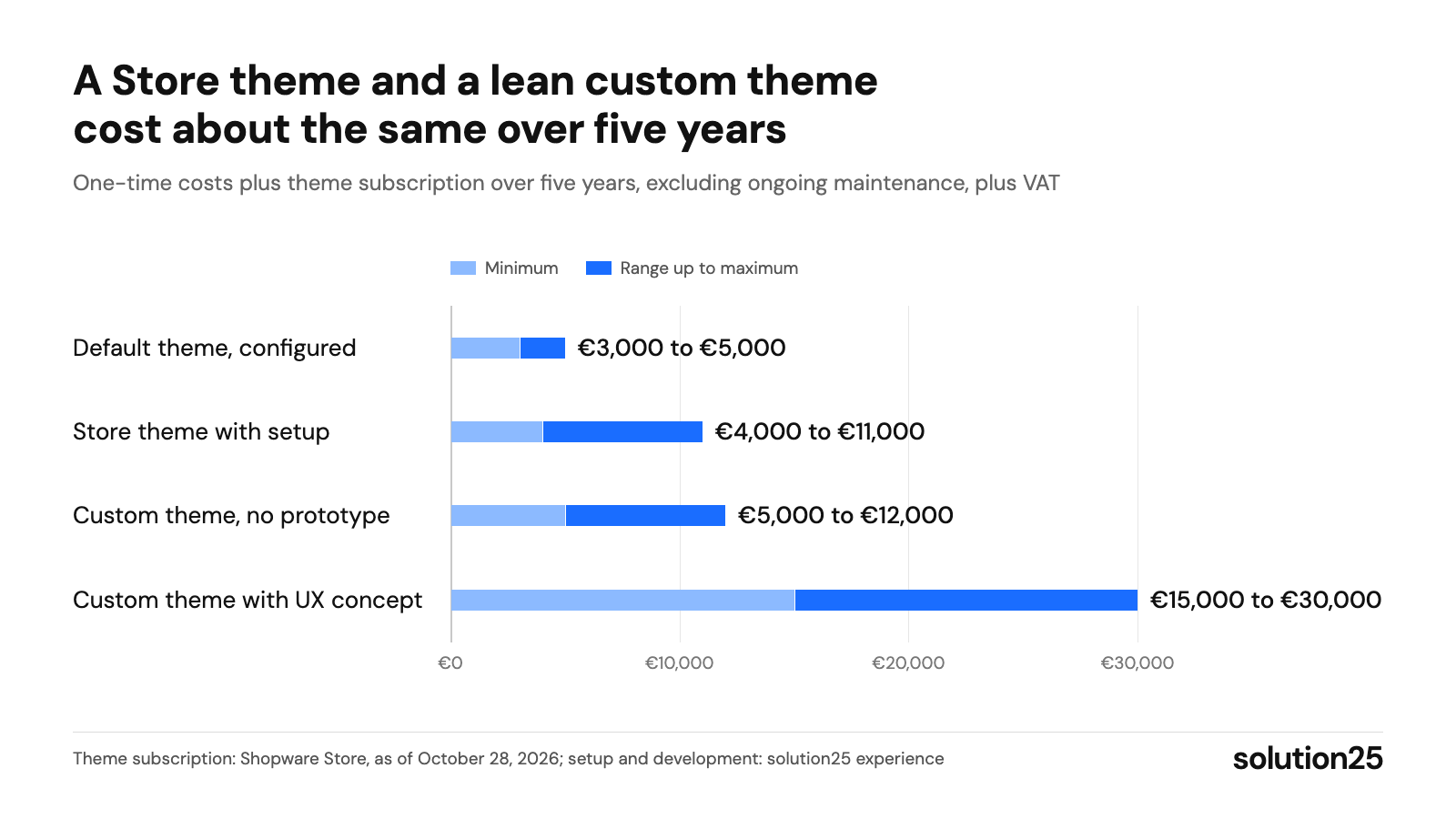
Figure: The chart compares the four paths over five years; between a store theme and a custom theme, the deciding factor is less the price than who controls the code. Theme subscription: Shopware Store, as of October 28, 2026; setup and development: solution25 experience
The most common reason for broken stores after an update is customizations in the wrong place. Shopware 6 inheritance solves this problem if you use it.
If you want to customize a purchased theme, create your own theme that inherits from the store theme. In theme.json, you add the parent theme’s placeholder to the views, style, script, and asset lists, each before your own files. The store theme stays unchanged and keeps receiving updates.
Since Shopware 6.4.8, configInheritance also lets you inherit the parent theme’s configuration fields (source: Theme Inheritance Configuration). That way, a merchant can run a base theme with their corporate design and maintain a child theme for the holiday season that’s only active a few weeks a year.
Shopware releases patch versions as needed, minor versions monthly, and about once a year a version jump like 6.6 to 6.7. With patch releases, a cleanly built theme rarely breaks. With a version jump, something almost always breaks somewhere, because templates are restructured, blocks are moved, or SCSS mixins (reusable style building blocks) are removed.
The safe process: install the update in the staging environment, install the vendor’s theme update, compile the theme, and then check the page types with your own overrides. If you’ve documented which templates are overridden and why, this takes hours instead of days. Learn more about the technical side in our articles on theme extension and the theme manager.
A prerequisite for each of the three options is a staging environment where the theme, plugins, and Shopware updates are tested together. A custom theme also requires Twig, SCSS, and Bootstrap skills on your team or at your agency.
For an initial assessment, a look at your situation is enough:
| Your situation | Recommendation | Budget |
|---|---|---|
| B2B store, function over looks, custom processes and integrations | Default theme, customized via the theme manager and a few templates | €3,000 to €5,000 |
| B2C store up to about €1M in revenue, no design team, quick launch | Premium theme from the store, set up by an agency, customizations in a child theme | €3,000 to €8,000 plus subscription |
| Brand with a design system or a store with special product pages | Custom theme based on the default theme, with a prototype | €15,000 to €30,000 |
| Migration from Shopware 5 under time pressure | Default theme in the old look first, custom theme in a second phase | €3,000 to €5,000, later €5,000 to €30,000 |
| Shopware Cloud (SaaS) | App theme from the store (cloud editions), custom themes only as an app | From €19 per month plus setup |
If you’re torn between a store theme and custom development: start with the default theme, measure for three months, and then invest where the numbers show a weakness. A custom theme can be added at any time without rebuilding the store.
Our take: For B2C stores without their own design system, we recommend starting with the default theme or a premium theme with a child theme, because both go live in a few weeks and the update work stays with Shopware or the vendor. We recommend a custom theme as soon as the brand brings a design system, product pages need special displays, or the metrics show a weakness the store theme can’t fix. In every case, we check accessibility in the prototype, not after go-live.
Measure weekly for the first eight weeks after go-live, then monthly and after every Shopware update. Compare with the four weeks before the switch and, because of seasonality, with the same period last year.
You should make adjustments if Search Console rates mobile URLs as “Poor” or “Needs improvement,” the mobile conversion rate stays below the comparison period, or axe reports critical errors.
In Shopware 6, a template is a single Twig file, for example for the product box or the header. A theme is the package of many templates, SCSS styles, JavaScript, assets, and the configuration in theme.json. When people search for “Shopware 6 templates,” they usually mean a theme.
Yes. The default theme is free and maintained by Shopware, and the store has a few free themes like FreeTheme One from TC-Innovations, where additional features are paid add-ons. Shopware’s former premium themes have been discontinued and can no longer be used with 6.7.
With the console command theme:create, Shopware creates a theme plugin with theme.json and a basic SCSS and JavaScript scaffold. It’s then installed, assigned to a sales channel with theme:change, and compiled. The design itself requires Twig, SCSS, and Bootstrap skills.
Yes, with your own theme that inherits from the store theme. Your own templates and styles are then kept separate from the purchased theme, which continues to receive vendor updates. Nothing should be changed directly in the store theme’s code.
No. Shopware 6 has a new theme system with Twig instead of Smarty, Bootstrap 5, and a different template structure. During a migration from Shopware 5 to 6, the theme is rebuilt, either as a customized default theme or as a custom theme.
Plugins don’t run in Shopware’s SaaS version, so neither do plugin themes. Themes have to be provided as an app there, and some vendors offer dedicated cloud editions, for example ThemeWare Cloud from €32.50 per month. A custom theme is only possible in the cloud as an app theme.
Planning a new Shopware store or a new design and want to know whether a store theme is enough or a custom theme makes sense? Get in touch, and we’ll review requirements, plugins, and budget and tell you which option fits your store.
Your store is already live? Our free store audit shows where your current theme is costing you revenue: load time, mobile display, accessibility, and friction on the product page and at checkout.
Learn more about how we work, our certifications, and our locations on the Shopware agency solution25 page.

Besnik Bilalli is the founder and CEO of solution25, the Shopware agency based in Bremen. Before founding the agency in 2017, he built his own online store and grew it to more than 500 orders per day. Since then, he has supported merchants with Shopware projects, from the first cost estimate to ongoing operations. He’s happy to answer questions about this article personally: Get in touch.
Responsible for content and updates: Besnik Bilalli. Last updated: October 2026. Next content review: January 2027.