The Avalara Extension for Shopware 6 is designed to enhance and extend the functionality of the official Avalara plugin. By providing key improvements, bug fixes, and refined handling of tax-related features, this extension helps merchants achieve a more stable and reliable tax management experience in their Shopware stores. It is important to note that this extension is not a standalone solution; the official Avalara plugin for Shopware 6 must be installed and activated before using this enhancement.
With this extension, merchants gain more control over Avalara integration, including refined address processing, improved API logic for more accurate tax calculations, enhanced logging for easier troubleshooting, and better backend feedback when validations fail. These enhancements ensure that tax handling is smoother, more transparent, and less prone to errors, ultimately saving time and reducing potential compliance issues. By integrating this extension, Shopware store owners can offer a seamless and professional checkout experience while maintaining accurate and compliant tax calculations.
This extension is not standalone. You must first install and activate the official
Avalara plugin for Shopware 6.
1.Fixes
Resolves specific bugs encountered with the base Avalara plugin.
2.Improved Address Handling
Enhances how billing and shipping addresses are parsed and submitted.
3.Logging & Debugging
Extends logging capabilities for better debugging during tax calculations.
4.Optimized API Usage
Refines API request logic to minimize failures and increase reliability.
5.Backend Feedback
Provides clearer backend error messages when tax validation fails.
Installation & Activation
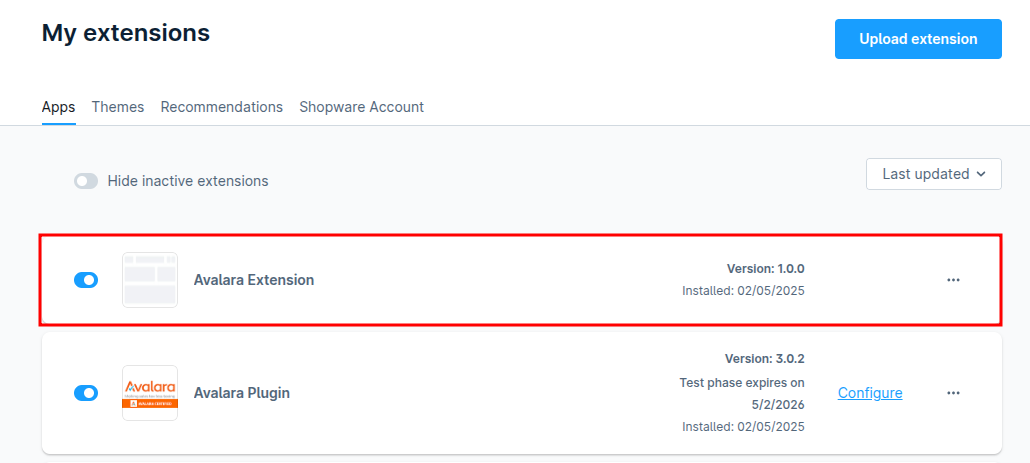
1.Install the Avalara Base Plugin
2.Download This Extension
Git
git clone https://github.com/solution25com/avalara-extension-shopware-6-solution25.git3.Install the Plugin in Shopware 6
4.Activate the Plugin
5.Verify Installation
1.Avalara Base Handles Tax Calculation
The core Avalara plugin sends address and order data to Avalara for tax estimation.
2.Extension Enhances Communication
The extension intercepts and improves how data is structured and sent to Avalara.
Additional error-handling logic helps prevent failed requests.
3.Improved Logs & Feedback
If a tax validation fails, the extension adds clearer error messages to Shopware’s backend.
Developers and store managers can easily locate and debug issues.
4.Address Validation Enhancements
The extension ensures that customer address data is formatted correctly.
In case of missing or inconsistent fields, it attempts a graceful fallback.
Plugin not working?
Ensure the base Avalara plugin is installed and activated first.
Still seeing broken tax calculations?
Check Shopware logs and Avalara logs for clues.
Confirm address data is complete and valid.
Errors in checkout or backend?
Check for conflicts with other third-party plugins that modify checkout or address handling.
No plugin settings available?
This plugin operates transparently with no admin settings required.
1.Can I use this plugin without the Avalara plugin?
No. This extension depends on the official Avalara plugin.
2.Does this override Avalara functionality?
It enhances specific areas like error handling, API robustness, and logging, but does not replace the Avalara core logic.
3.Can I disable the extension without disabling Avalara?
Yes. The extension is modular and can be deactivated independently, although enhanced features will no longer apply.
