
Kostenloser Versand kann ein starker Anreiz sein, den Bestellwert zu erhöhen. Voraussetzung dafür ist, dass Kunden wissen, wie nah der Warenkorb bereits am kostenlosen Versand liegt.
FreeShip+ macht diese Information genau im richtigen Moment sichtbar. Kunden sehen sofort, welcher Betrag noch bis zum kostenlosen Versand fehlt, und können den Fortschritt verfolgen, während weitere Produkte in den Warenkorb gelegt werden.
So entsteht ein klareres Checkout-Erlebnis und gleichzeitig ein zusätzlicher Anreiz, weiter einzukaufen.
Kostenlosen Versand sichtbarer machen
Das Ziel für kostenlosen Versand wird direkt im Einkaufsprozess angezeigt, statt darauf zu vertrauen, dass Kunden sich an den Mindestbestellwert erinnern.
Fehlenden Betrag anzeigen
Kunden sehen sofort, welcher Betrag noch zum Warenkorb hinzugefügt werden muss, um kostenlosen Versand zu erhalten.
Höhere Warenkörbe fördern
Ein sichtbares und erreichbares Ziel für kostenlosen Versand kann dazu motivieren, ein weiteres Produkt in den Warenkorb zu legen, statt die Bestellung unterhalb des Mindestbestellwerts abzuschließen.
Optionaler Fortschrittsbalken
Der Fortschritt kann visuell dargestellt werden, sodass sofort erkennbar ist, wie nah der Warenkorb am kostenlosen Versand liegt.
Funktioniert mit bestehenden Versandarten
Eine separate Versandart für kostenlosen Versand ist nicht erforderlich. Sobald der Mindestbestellwert erreicht ist, wird die aktuell ausgewählte Versandart kostenlos.
Das Ergebnis ist ein einfacher Ablauf, der sich nahtlos in den bestehenden Shopware-Checkout integriert.
Kostenlose 15-minütige Erstberatung direkt mit unseren Experten.
FreeShip+ kann die Information zum kostenlosen Versand an mehreren wichtigen Punkten der Customer Journey anzeigen.
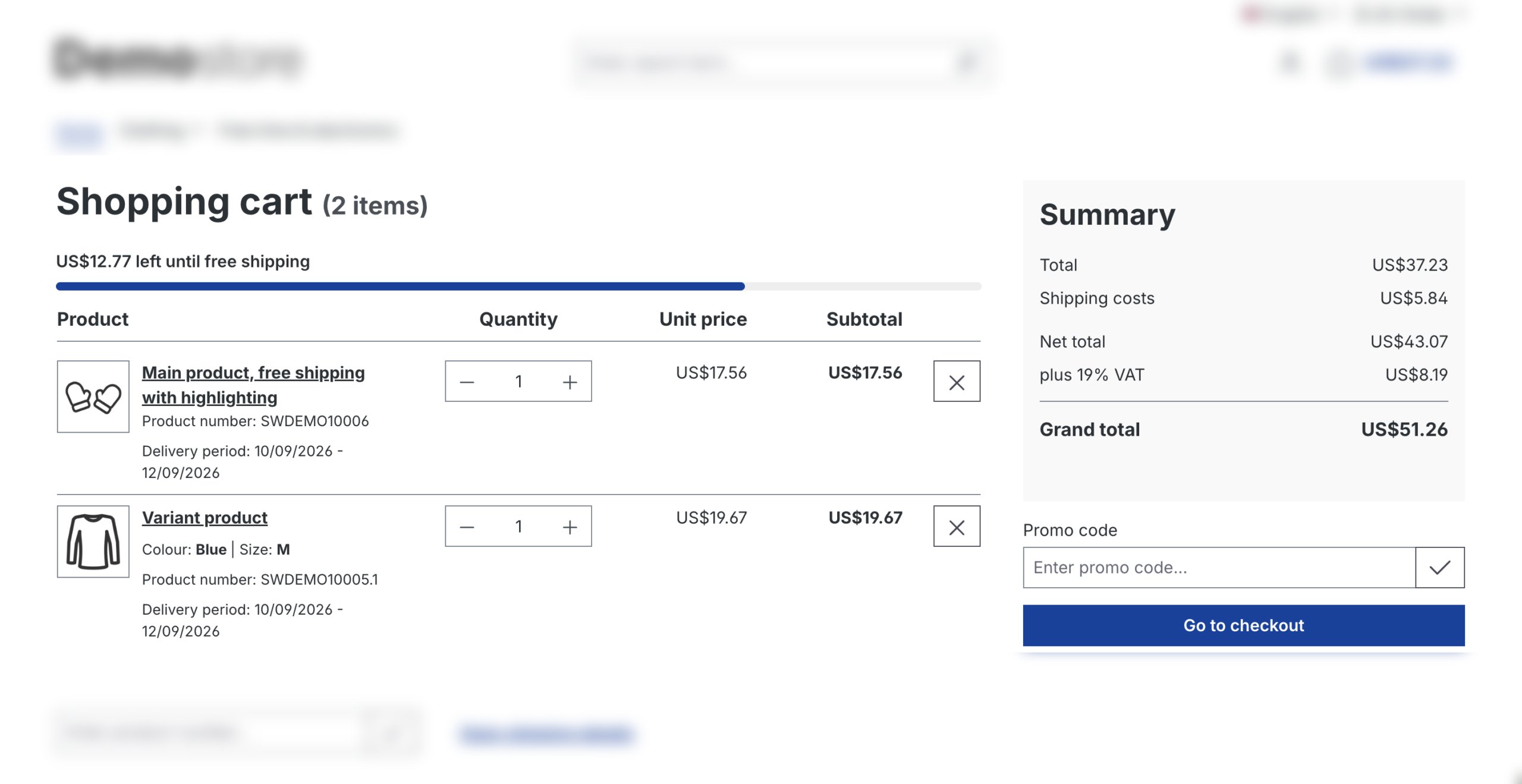
Warenkorb
Der noch fehlende Betrag wird angezeigt, während Kunden die Produkte im Warenkorb prüfen.
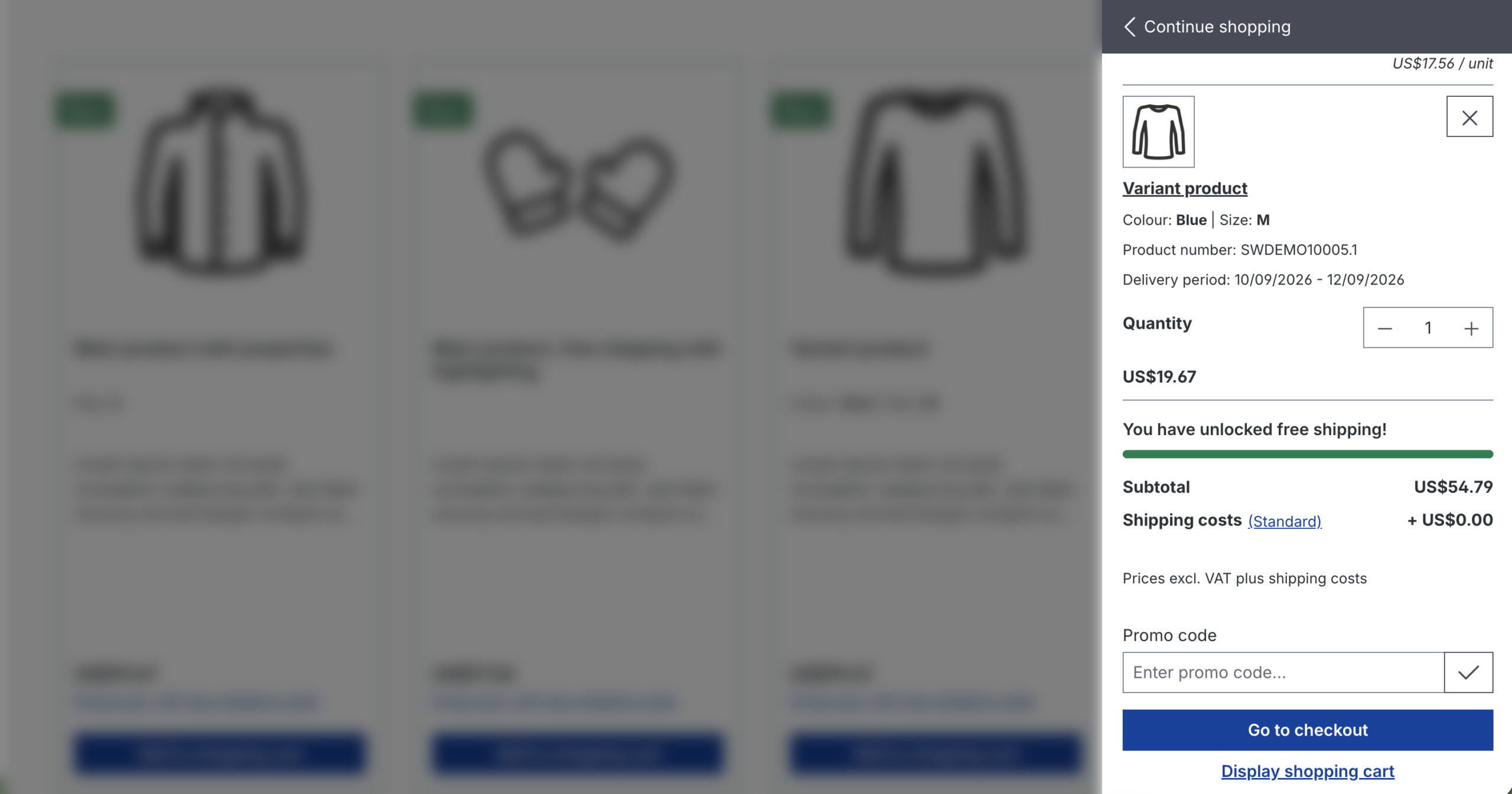
Off-Canvas-Warenkorb
Das Ziel für kostenlosen Versand bleibt auch bei schnellen Warenkorb-Interaktionen sichtbar, ohne dass die vollständige Warenkorbseite geöffnet werden muss.
Checkout-Bestätigung
Die Information wird vor Abschluss der Bestellung angezeigt und gibt einen letzten Überblick über den aktuellen Status des kostenlosen Versands.
FreeShip+ ist so konzipiert, dass es mit der bestehenden Shopware-Konfiguration funktioniert, ohne unnötige Komplexität hinzuzufügen.
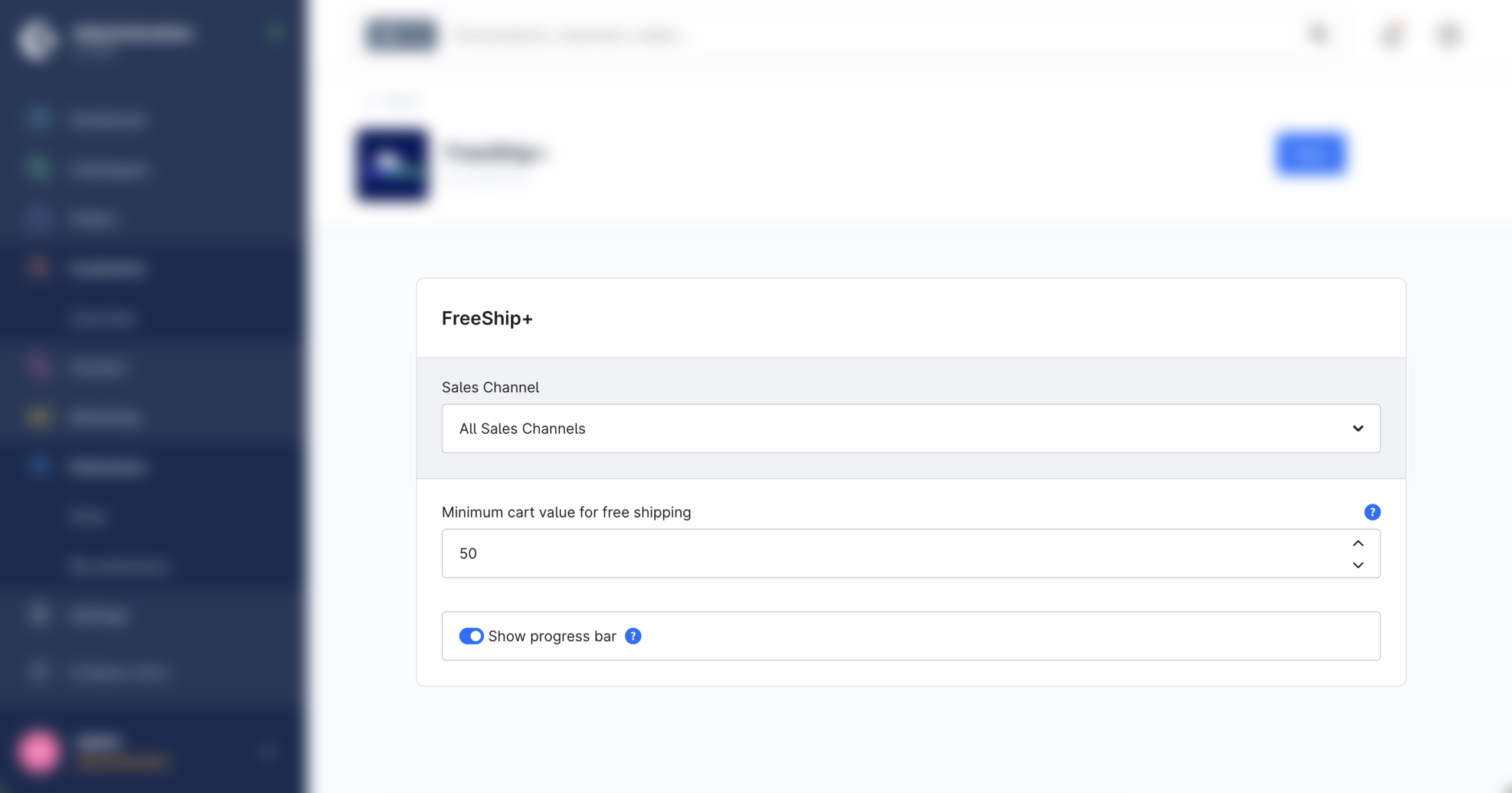
Mindestbestellwert für kostenlosen Versand festlegen
Der Mindestwert des Warenkorbs wird festgelegt, ab dem der Versand kostenlos wird.
Fortschrittsbalken optional anzeigen
Der noch fehlende Betrag kann jederzeit angezeigt werden. Der visuelle Fortschrittsbalken lässt sich je nach Storefront-Design aktivieren oder deaktivieren.
Bestehende Versandarten beibehalten
FreeShip+ arbeitet mit der bereits ausgewählten Versandart. Sobald der Mindestbestellwert erreicht ist, entfallen die Versandkosten für diese Versandart.
Bereits aktivierten kostenlosen Versand erkennen
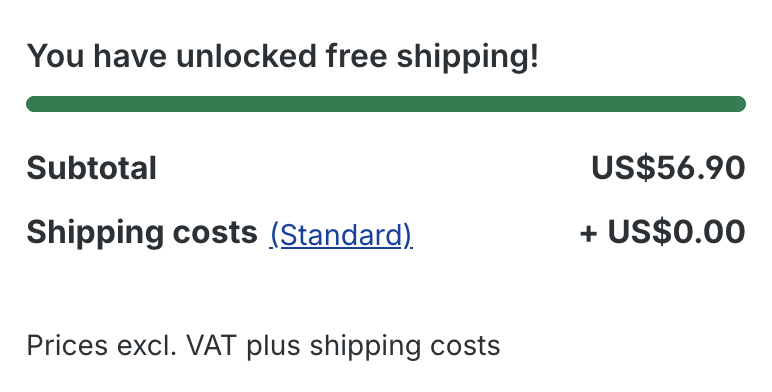
Ist kostenloser Versand bereits über einen Aktionscode oder eine andere Shopware-Konfiguration aktiviert, erkennt FreeShip+ dies automatisch und zeigt eine entsprechende Bestätigung an.
FreeShip+ turns a standard shipping rule into something customers can clearly see and understand.
Instead of hiding the free-shipping threshold in banners, shipping information, or promotion details, the plugin brings it directly into the cart and checkout experience.
It helps customers understand how close they are to free shipping, gives them a reason to continue adding products, and keeps the process simple by working with the shop’s existing shipping methods.
Everything remains integrated into the normal Shopware checkout flow.
FreeShip+ ist ein Shopware-Plugin, das anzeigt, wie viel noch bis zum kostenlosen Versand fehlt. Die Information kann im Warenkorb, im Off-Canvas-Warenkorb und auf der Checkout-Bestätigungsseite angezeigt werden.
Im Plugin wird ein Mindestbestellwert festgelegt. Während Produkte zum Warenkorb hinzugefügt werden, berechnet FreeShip+ automatisch den noch fehlenden Betrag und zeigt ihn direkt an.
Ja. Ein visueller Fortschrittsbalken kann aktiviert werden und zeigt, wie nah der Warenkorb am kostenlosen Versand liegt. Auch ohne Fortschrittsbalken kann der noch fehlende Betrag weiterhin angezeigt werden.
FreeShip+ unterstützt mehrere Bereiche im Storefront, darunter den Warenkorb, den Off-Canvas-Warenkorb und die Checkout-Bestätigungsseite.
Nein. Das Plugin verwendet die bereits ausgewählte Versandart. Sobald der konfigurierte Mindestbestellwert erreicht ist, wird diese Versandart kostenlos.